 booth
← attestrum.com
booth
← attestrum.com
A RECORDING BOOTH AND A TRANSCRIPTION ENGINE
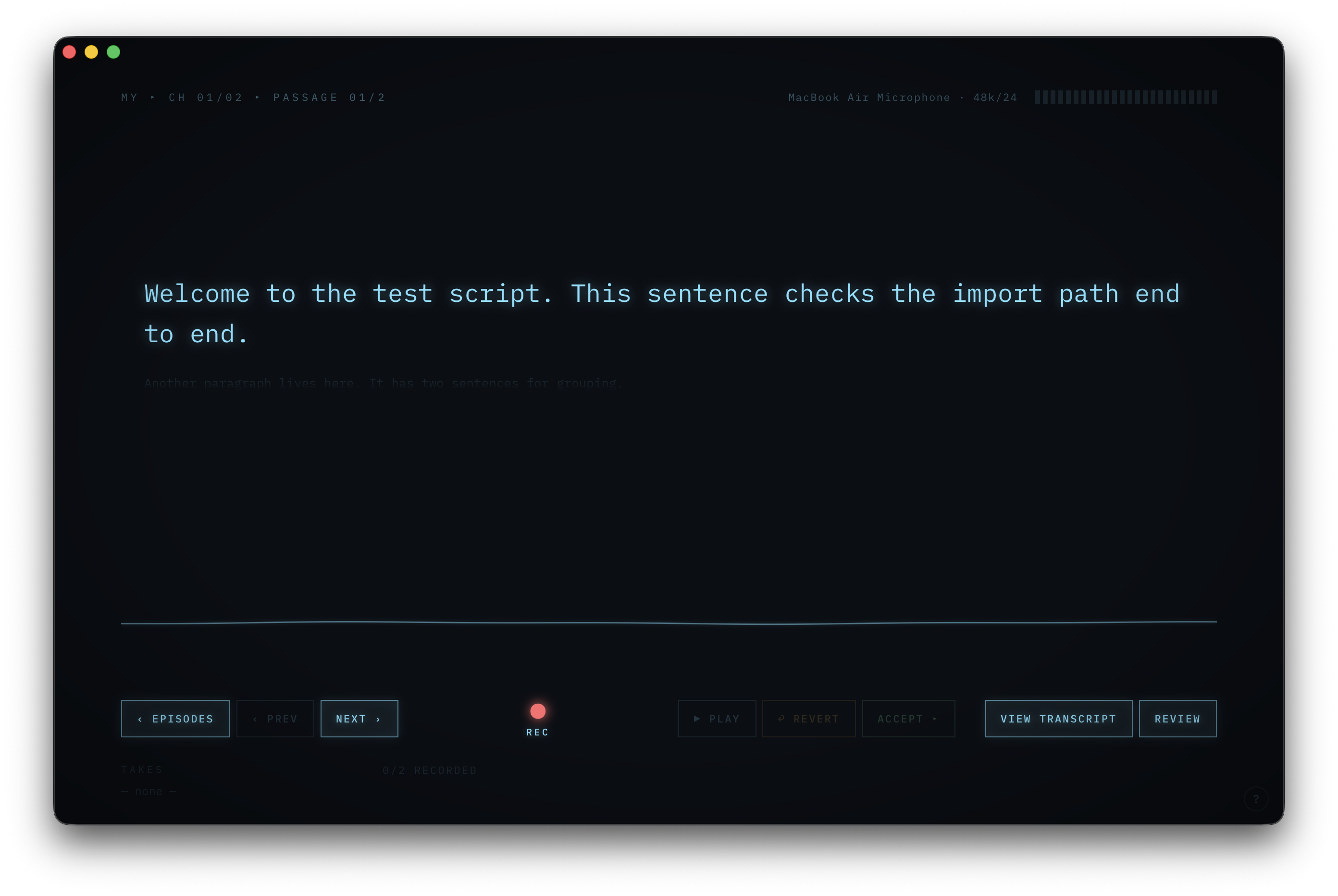
Two small tools in one app. Record: read your script one passage at a time in a CRT-styled teleprompter, stack takes until one lands, and export a clean voice track. Transcribe: paste a video URL or pick a local audio/video file and get a transcript back — imported captions when they exist, otherwise on-device Whisper. Crash-safe, keyboard-first, fully local — no accounts, no cloud, no telemetry. Free and open source.
macOS 13+ · Apple Silicon · notarized .dmg Windows 10/11 · x64 · unsigned installer — on first run SmartScreen shows “Unknown publisher”; click More info → Run anyway v0.1.4 · Apache-2.0 OR MIT · release notes
How it works
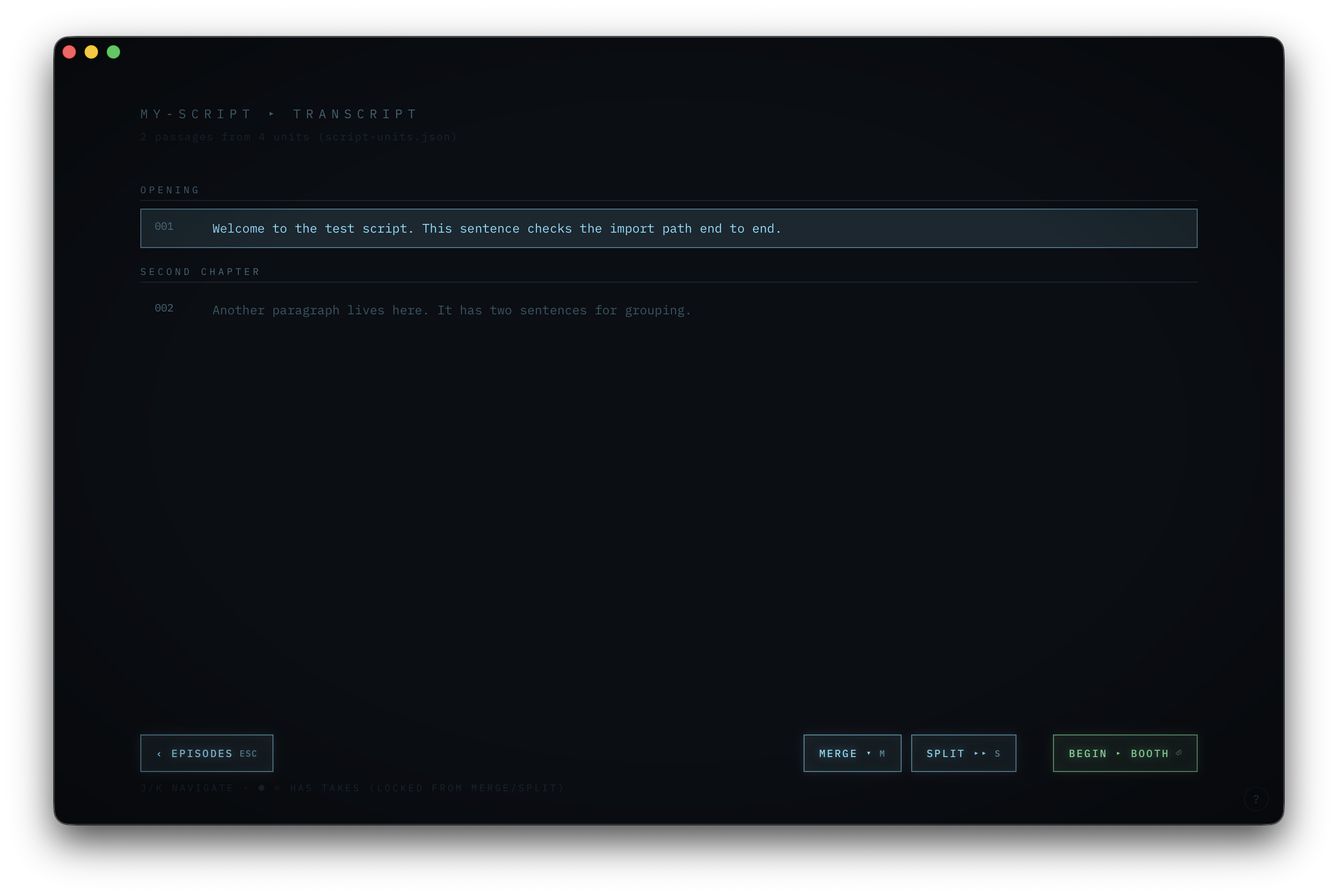
- Import a script (.md or .txt). Headings become chapters; paragraphs split into recordable passages you can merge and split.
- Record passage by passage. SPACE to record and stop. Takes stack up newest-first; revert or delete any take — files are moved, never deleted, with a 5-second undo.
- Edit the script inline. Click the teleprompter text, fix the wording, save — the change writes back to your source file.
- Export a sample-perfect concatenated voice.wav (plus voice.mp3 when ffmpeg is installed), with prior outputs backed up first.
Built like a tape machine
- Audio is captured natively in Rust at 24-bit — takes are flushed to disk continuously, so a crash mid-take is recovered on the next launch.
- Sessions live in a booth/ folder next to your script and resume exactly where you left off.
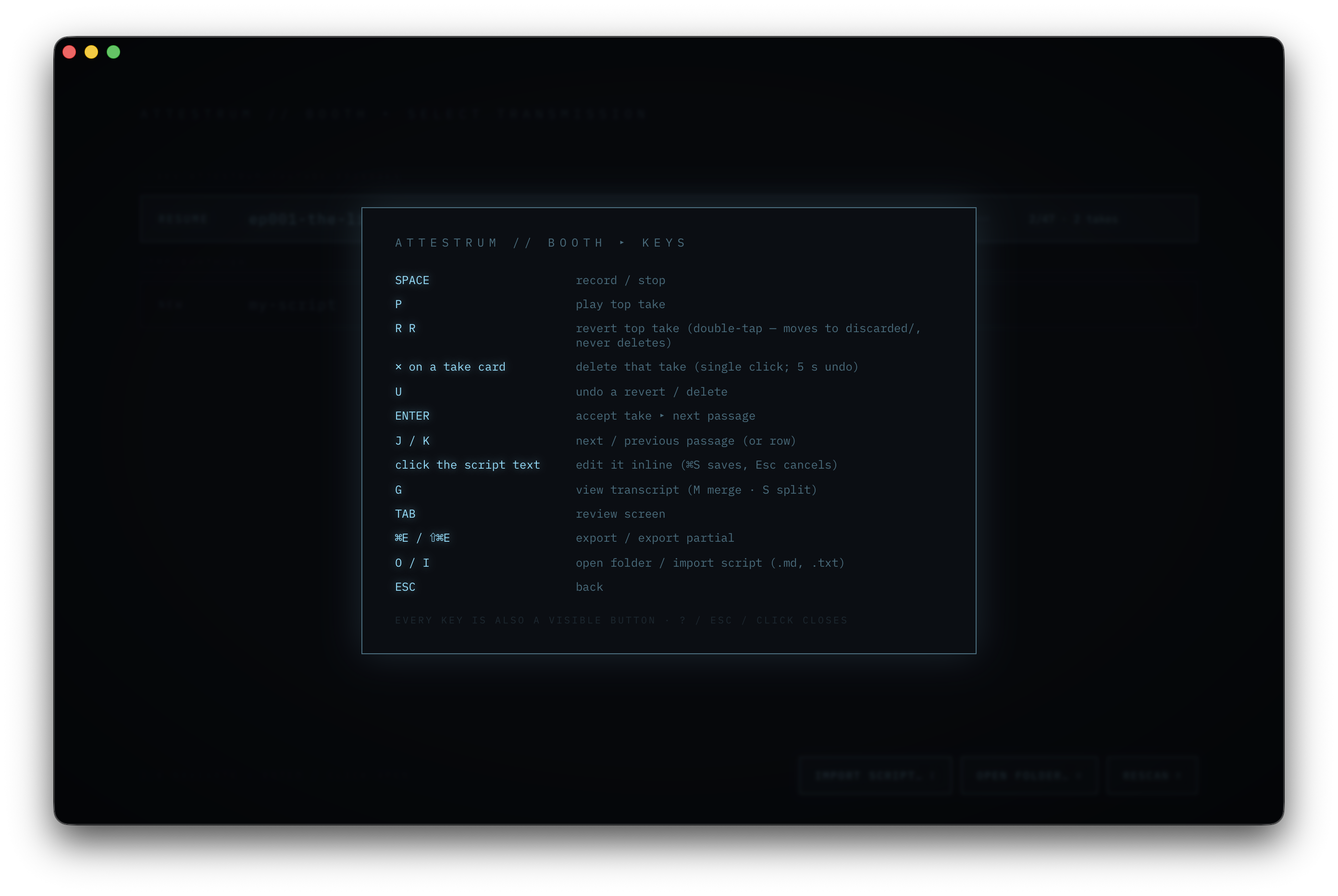
- Every action is both a key and a visible button. Press ? in the app for the full cheat-sheet.
Keys
| SPACE | record / stop |
| P | play top take |
| R R | revert top take (double-tap) |
| ✕ on a take card | delete that take (5 s undo) |
| ENTER | accept take ▸ next passage |
| J / K | next / previous passage |
| G | view transcript (merge · split) |
| TAB | review & export (⌘E) |
On Windows, ⌘ shortcuts use Ctrl (e.g. Ctrl+E to export).
The transcription engine
The same app also turns video and audio into text — no separate tool, no upload. Open the transcribe screen and either paste a URL or pick a file.
- Paste a URL from YouTube, TikTok, Instagram, or Facebook — or pick a local audio/video file.
- If the source carries a real caption track, it's imported instantly (tagged as manual or auto subs). Otherwise Booth pulls the audio and transcribes it locally with Whisper large-v3-turbo — a 1.6 GB model that downloads once and then runs entirely on your machine (Metal on macOS, CPU on Windows).
- Short-video platforms (TikTok / Instagram / Facebook) skip the caption probe and go straight to local transcription, since usable tracks are rare.
- Export 8 formats — TXT, SRT, VTT, JSON, CSV, HTML, DOCX, PDF — with one-click copy buttons for the plain text.
- Saved transcripts re-open from the Load screen. Downloaded media is transient and cleaned up — nothing leaves your machine.
Why we built it
Booth is the tool we use in the Attestrum studio to narrate our own video scripts. Attestrum is about verifiable, local-controlled provenance for AI training data — Booth carries the same posture into a small recording tool: your words, your audio, your disk.